How to Use Bolt
Get a device reporting, start a recorded session, and review it later.
This guide walks through the basics of getting a tracker online, starting an outing, and wrapping up when you are done.
Prerequisites
- An active Bolt account.
- At least one device reporting position data — for example:
- BoltReporter
- Another supported GPS client, such as an OSMAND-style app or hardware tracker
- (Optional) Multiple GPS devices saved on your account so you can pick which tracker reports each outing.
- (Optional) If coordinating with others, agree on your comms plan.
Core Workflow
- Get a device online. Launch BoltReporter or another supported GPS client and confirm the device is reporting.
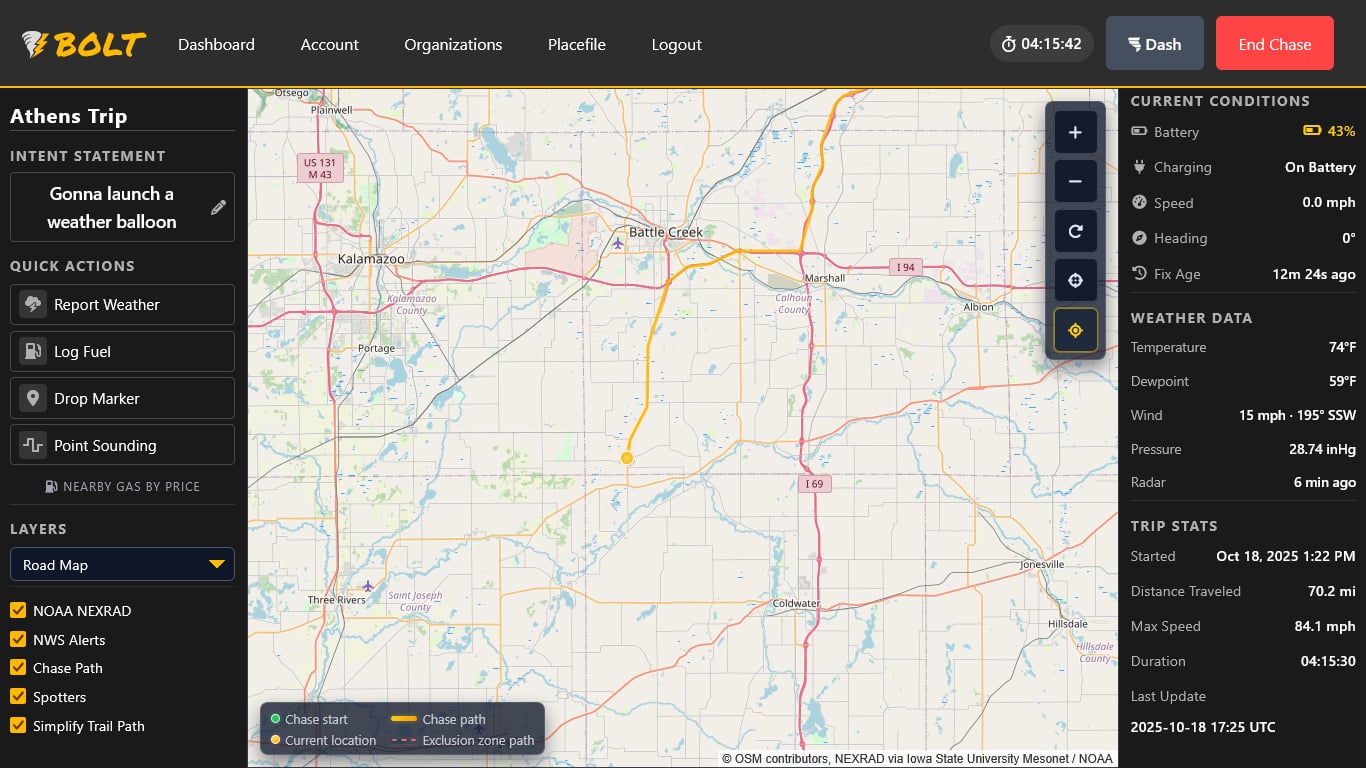
- Open the map. Go to /map/ and start an outing when you are ready.
- Update your Intent Statement. Note what you're doing so the outing log stays clear.
- Privacy controls. Use Account → Exclusion Zones and your visibility setting if you need to limit shared exposure.
- End the outing. When finished, stop the outing. You can keep the tracking client running if you still want Bolt to receive device reports.
- Verify your device is sending fresh GPS updates to Bolt before leaving.
- If in a group, confirm everyone is reporting.
- Load radar overlays and any placefiles you plan to use.
- Have backup power and connectivity (hotspot, inverter, spare batteries).
Choose the right tracker every time
You can register several GPS devices under My Devices. When you begin an outing, Bolt lists every tracker that is online or has reported within the last hour. Picking one tells Bolt which device to follow until you end or restart the outing.
- From the dashboard, press Start Outing.
- Pick the tracker you want to broadcast. Devices show their last update time so you can confirm which one is active.
- Click Start. Bolt begins logging that device and attaches it to the active outing.
If your primary GPS fails, end the outing and start a new one with your backup device selected.
Sharing Updates
Notes and markers help document the outing:
- Update your Intent Statement before major moves (dropping south, shifting east, wrapping up).
- Mark hazards such as debris, downed lines, or flooded crossings. Note: markers are currently visible only to you.
- Report observations to your NWS weather forecasting office. Remember: Name first, condition (“Wall cloud forming west of Highway 81 mile 42.”), and then location.
Use the Outing History panel in your Account to quickly replay or share past outings.
Wrap-Up
When your outing is over, end the outing and use replay or account history if you want to review it later.